Distribute - Faceless Video Channels, Run on a Cadence | Wudtr

Distribute

Beta

Run a faceless channel like a production line, not a hobby

Plan the episodes, generate the script and visuals, review before anything renders, then publish on a cadence you set once. Long-form and shorts, across the platforms you connect.

  • Nothing publishes without your approval
  • YouTube, TikTok, Instagram, X and Facebook
  • 5–10% by plan, Stripe processing included
app.wudtr.com/distribute
The Wudtr publishing calendar showing scheduled posts across connected platforms

How an episode gets made

Each episode moves through named stages. Two of them wait for you: the images, before anything renders, and the cut, before anything publishes.

  1. 1

    Plan

    Episode slots queue up with a title, subject and thumbnail concept. Accept the ones worth making, skip the rest.

  2. 2

    Script

    The channel's own format, tone and title rules drive the script, so episodes stay recognisably from the same channel.

  3. 3

    Visuals

    Scene images are generated to the channel's style, then held for review. Regenerate or replace any frame before it renders.

  4. 4

    Render

    Voice, captions, motion graphics and transitions are assembled into the finished cut.

  5. 5

    Review

    Watch the draft, approve or reject. Nothing reaches a platform until you say so.

  6. 6

    Publish

    Goes out on the channel's cadence, with shorts following on their own schedule.

Editorial rules

Editorial rules that stay on the channel

Structure settings live on the channel rather than on the episode. Change one and it applies to everything you make afterwards, so a lesson from your analytics only has to be applied once.

Ten narrative strategies

Open on the misconception, the story, the mechanism, the stakes or the practical use. Or compare, investigate, or run chronologically. Pick one per channel, or let the research pass choose per episode.

Standing writer rules

Production notes are injected into every script: your retention contract, the shape of the opening, and the phrases the channel must never use.

Short beats or measured

An explainer profile cuts fast; a documentary profile lets scenes breathe. Set the minimum and maximum runtime alongside it.

Thin research ships shorter

When the material will not carry the target runtime, the default is to ship a shorter honest video rather than pad it. You can override that per channel.

Cut on the voice timings

Synced storyboard mode gives each narration beat its own frame, cut on the real voice timestamps rather than an even split.

A ceiling on images

Cap how many frames one episode may generate, so a continuity-heavy channel stops producing near-duplicates it does not need.

Look and voice

Look, voice and on-screen style

Style, engine, voice and on-screen treatment are channel settings. Episodes inherit them, so the twentieth video looks like the first.

Pinned aesthetic and thumbnails

A written style prompt and a thumbnail directive hold the look steady, so every thumbnail shares one house style while the subject and hook stay per-episode.

A recurring host, or none

Give the channel a named character with reference images so they appear consistently, plus a side cast for cameos. Or run it faceless with no host at all.

Choose the image engine

Eight engines, from the cheapest default to a premium tier, including two driven through the browser extension. Set image quality and let weak frames be regenerated automatically.

On-screen text, your call

Headline and caption, captions only, or images and voice alone. Five subtitle styles including karaoke and word-by-word, plus animated callouts on chosen keywords.

Voice you can tune

Six delivery styles, with speed, stability, similarity and expressiveness adjustable, over music from the built-in set or your own audio library.

Intros that rotate

Keep several intro and outro versions and the channel cycles through them, so a regular viewer is not shown the same twenty seconds every time. The outro can name the next episode automatically.

Shorts

How shorts get chosen

A segment has to earn its place. It should open a question a new viewer can follow, answer it inside the clip, and stick to one idea. Intros and summaries are excluded. If nothing in an episode qualifies, you get no clips from it, which is worth knowing.

Three ways to build a short

Crop the parent for speed, regenerate the frames vertically so nothing is cut off, or add a purpose-written hook naming the part it covers.

Where the clip starts

Clips start at the strongest moment by default, not the opening — unless your channel deliberately writes a standalone short into its cold open.

A ceiling on shorts per episode

Set the most shorts one episode may yield. A tight video gives three, a dense one gives more, and the limit only ever caps it.

Shorts on their own schedule

Shorts publish on their own cadence with a set number per day, so a backlog drains steadily instead of six landing at once.

Vertical treatment

An opt-in playbook directs the hook, keeps visual beats short, and ends on a hard cut that loops — and suppresses the generic bumpers that do not belong in a short.

Where clips go

Post clips to YouTube Shorts, TikTok, Instagram, X and Facebook Pages, choosing per channel which ones apply.

Output planner

What a cadence actually produces

Set a channel the way you would configure it and see the month it adds up to. This is arithmetic on your own settings, not a benchmark.

3
3
2
13
Episodes a month
39
Shorts a month
91
Uploads a month, all platforms

Shorts are capped, never quota-filled: an episode yields only the segments that qualify, so treat this as a ceiling.

Cadence, autonomy and organisation

How much runs without you

There are three autonomy levels: you drive it, it runs and stops for your review, or it runs through on its own. Because that is a channel setting, one channel can be left alone while another stays fully manual.

Per-channel schedule

Episodes per week with the days and hour you choose, a separate rhythm for shorts, and a spacing rule so clips from one episode do not land together.

Queue that refills

When planned slots drop below your threshold, more are proposed. They wait for you to accept them, so the queue never publishes itself.

One board, by stage

Every channel's episodes sit on one board by stage, so you can see what is waiting on you and what is waiting on a render.

Series and topics

Group episodes into series and file them under topics. A series also lets the outro of one episode name the next one.

Pause a channel

Take a channel offline without deleting it, and duplicate a channel you have tuned to start the next one from a known-good setup.

Comments, on a leash

Replies can be drafted within a daily cap and a time window, and held behind a review gate until you approve them.

Quality and insights

Checks before an episode goes out

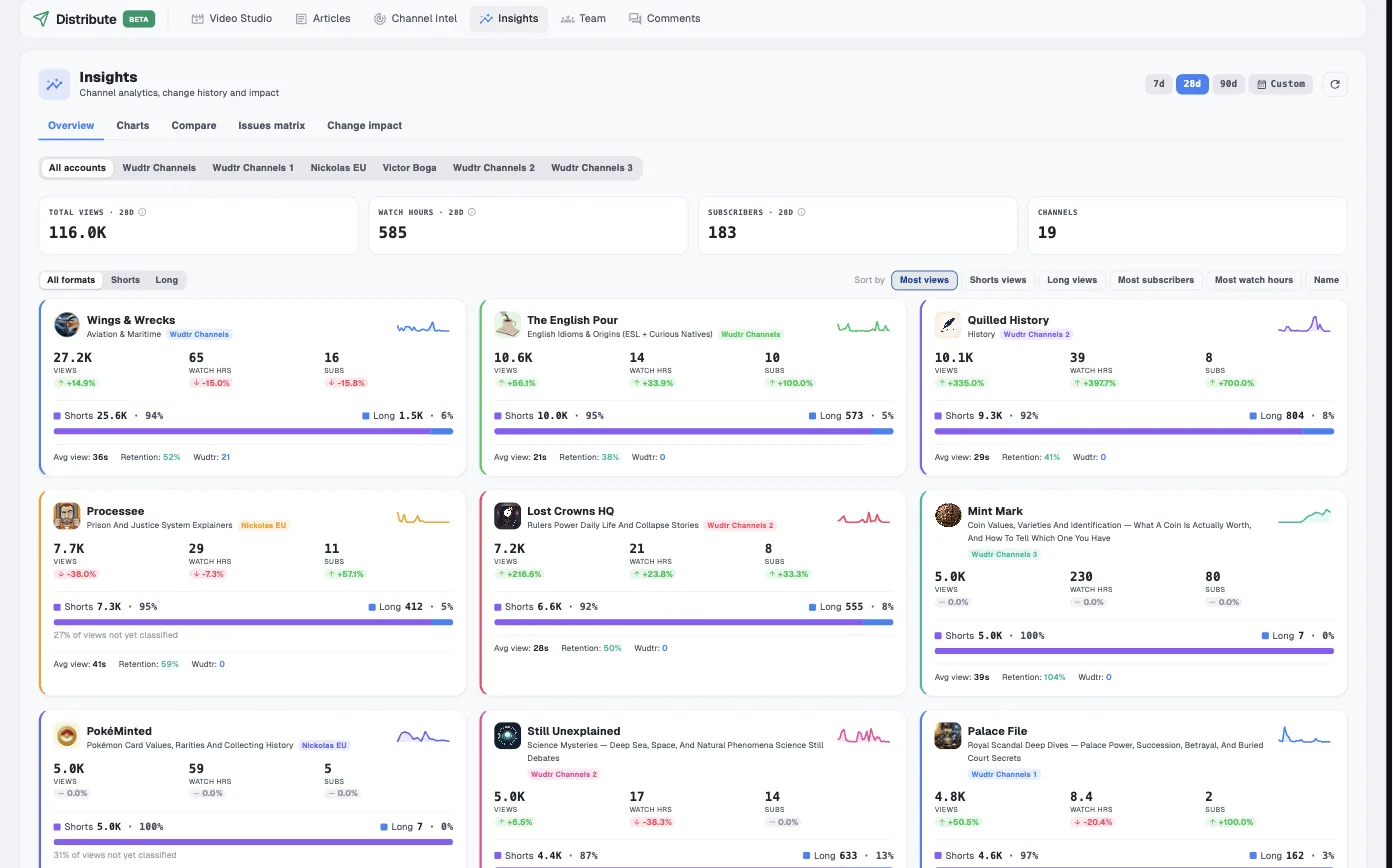
Two checks sit between render and publish, and settings changes are logged so you can read what happened after one against the change itself.

Post-render quality gate

The finished video is scored and weak scenes can be re-rendered. Turn it off on a channel where you review every frame yourself.

Queue analysis

Rendered but unpublished episodes are judged against the channel's own history for duplicate cuts, fragment titles and hook shape, before they reach an audience.

Retention against click-through

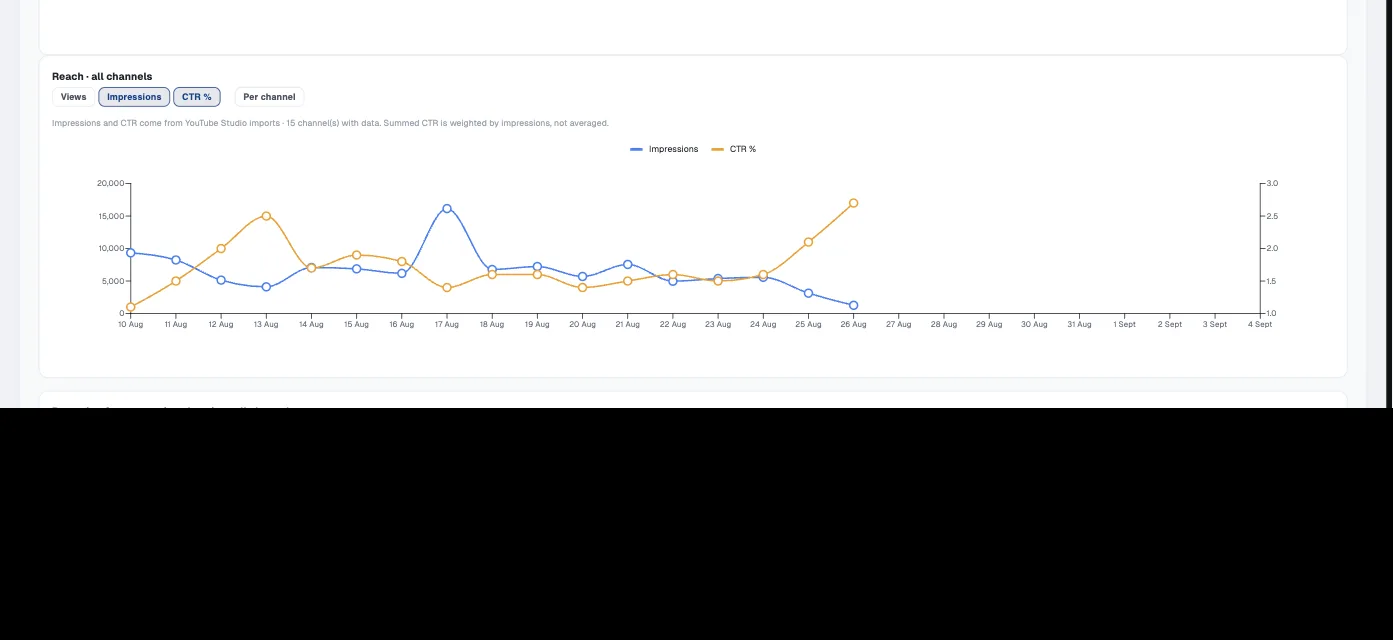
The two are plotted together, so a video that pulls clicks but loses people is distinguishable from one nobody opened.

Before and after a change

Each settings change is recorded with what followed it, so a change that helped can be told apart from one that only coincided.

Companion article and transcript

Each episode can produce a written article and a transcript into your content library, so the video is searchable as text too.

A public page per channel

Each channel gets a link page, and an end-scene QR code can point viewers straight at it.

Distribute is in beta. Feature availability and limits may change while it is being built.

Start with one channel

The free plan is enough to set up a channel, plan episodes and take one through the pipeline end to end.