
Wudtr MCP server
Close the 12 tabs. Just ask your AI.
Connect your AI assistant to your Wudtr account with one API key. Ask in plain words and it reads your analytics, drafts and schedules posts, checks your brand deals and updates your links. The change shows up in the Wudtr web and mobile app straight away.
Free account, no card needed. Connecting an AI assistant (MCP) is part of the Enterprise plan: start free, then ask us to switch it on.
- Runs as you, inside your permissions
- Key shown once, stored hashed
- Revoke any time, in one click

Put your AI to work on Wudtr
Start freeOne key. Connected.
Three steps, about two minutes
MCP, the Model Context Protocol, is the open standard AI assistants use to work with outside tools. Wudtr runs an MCP server, so the assistant you already use can work in your account through the same API the app uses.
- 1
Create a key
In Wudtr, open Account settings, then API Keys, then Create Key. Name it after the assistant. The key is shown once, so copy it there and then.
- 2
Add Wudtr to your AI client
Give your client the server URL below and send the key as a bearer token. Any MCP client that can reach a remote server and send an Authorization header works.
- 3
Ask
Write what you want in plain words. The assistant picks the tools, calls them as you, and tells you what it did.
claude mcp add --transport http wudtr \
  https://mcpserver.apigw.wudtr.com/mcp \
--header "Authorization: Bearer wudtr_ak_your_key"{
"mcpServers": {
"wudtr": {
"url": "https://mcpserver.apigw.wudtr.com/mcp",
"headers": {
"Authorization": "Bearer wudtr_ak_your_key"
}
}
}
}Replace the placeholder with your own key. Never paste a key into a shared document or a public repository; if one leaks, revoke it and create another.
Plain language
Just ask. It acts.
One request can take several tools. The assistant reads before it writes, and many clients show each tool call as it happens, so you can see exactly what it touched.
How did this week go? Then draft a Reel for Friday's launch and schedule it for 6 PM.
Using wudtr · 3 tool calls
- get_social_analytics_overview
- create_social_post
- schedule_social_post
Reach is up 18% to 184K this week, led by Tuesday's Short. I drafted the launch Reel for Instagram and TikTok and scheduled it for Friday, Oct 16 at 6:00 PM.
Things people ask
How did this week go across my channels?
Draft a Reel for Friday's launch and schedule it for 6 PM.
Which brand deals go live this month?
Draft replies to today's comments so I can review them.
Add my new course to my link page.
Which members hold the VIP badge?
Under each request is the real tool the assistant would call.
Real time
Live on web and mobile
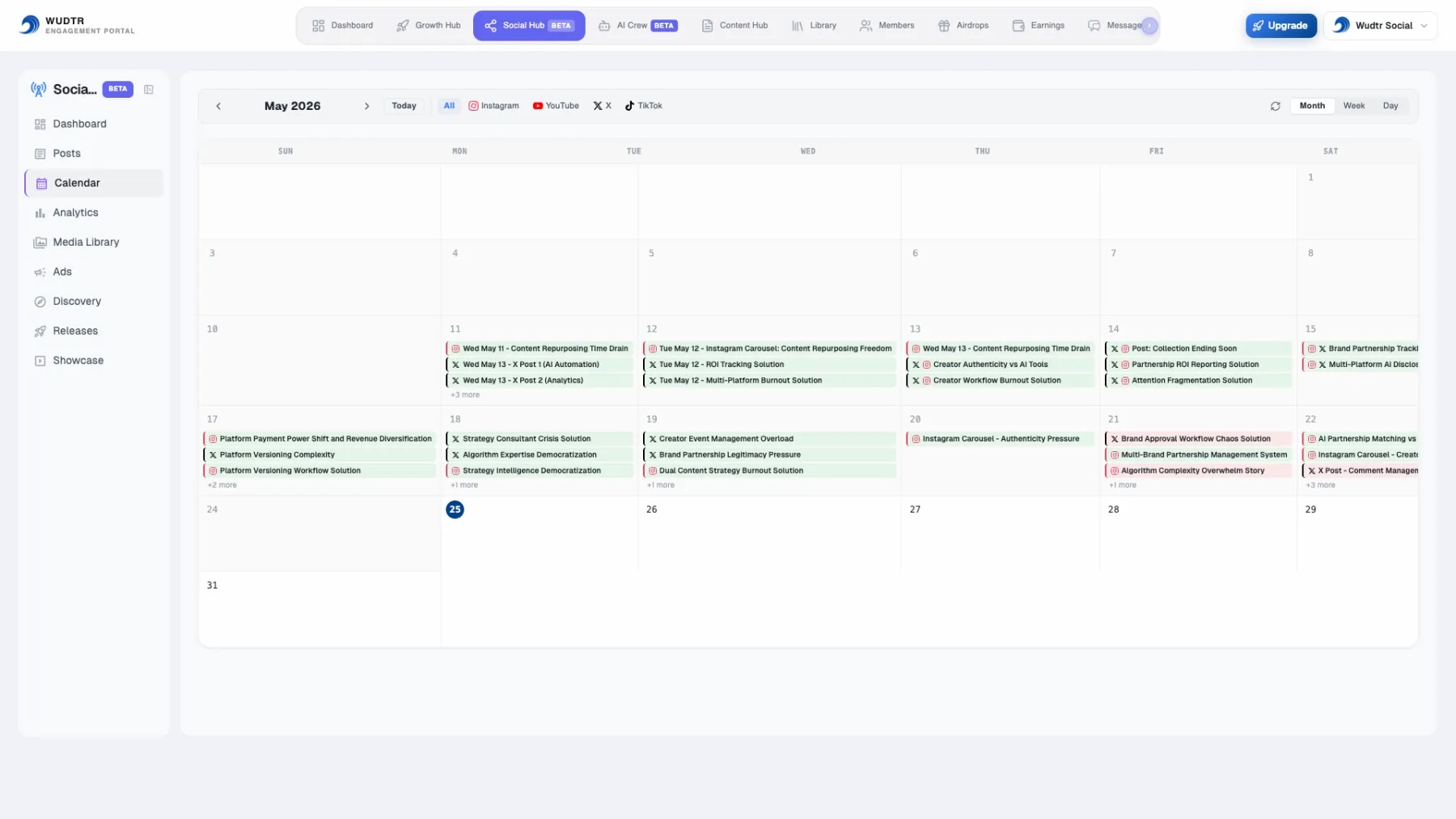
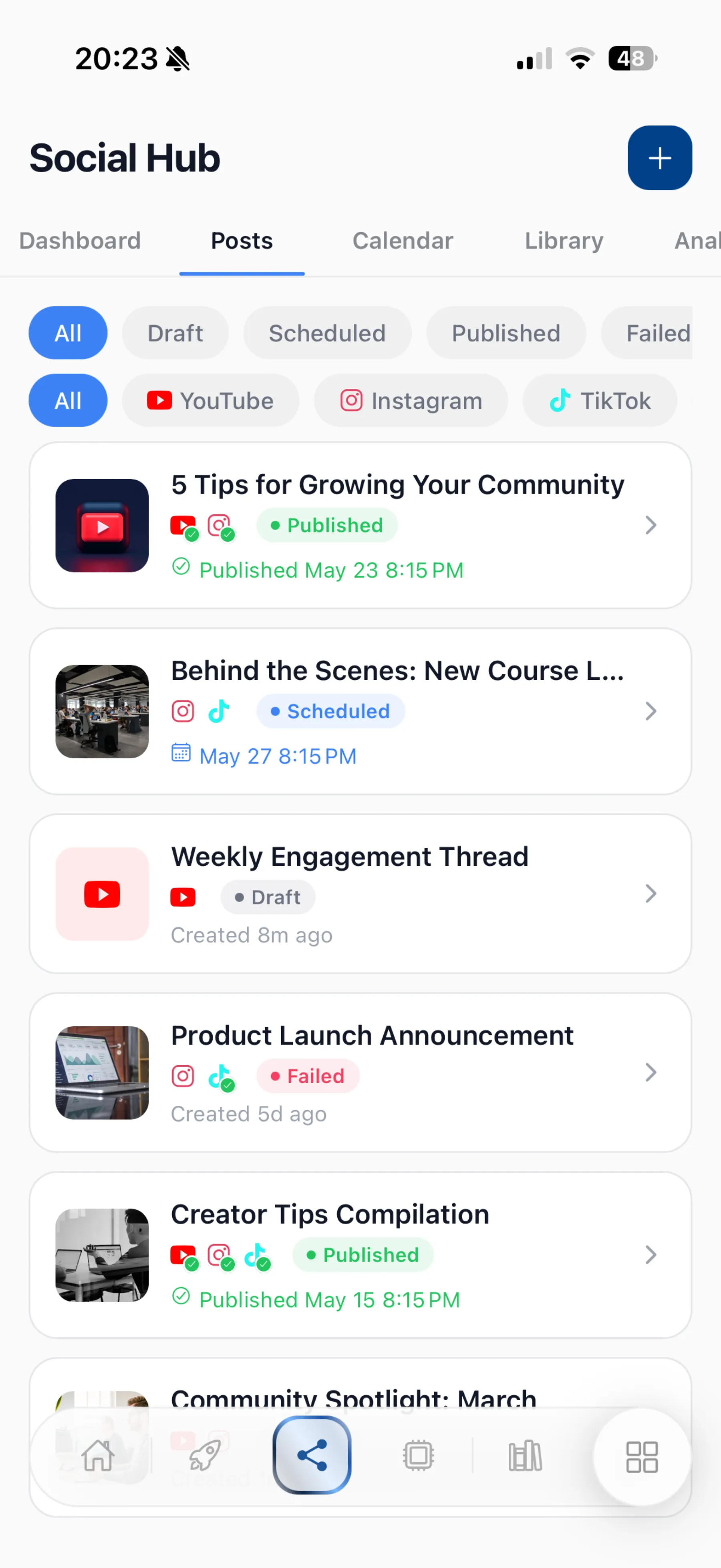
The assistant works on the same account you open in the browser and on your phone. There is no copy to sync: schedule a post from a chat and it is on the calendar the next time you look.
300+ tools
Every corner of Wudtr
The catalogue has more than 300 tools today. These are some of them, by area.
Posts and scheduling
Analytics
Comments
Agency deals
Distribute videos
Link pages
Members and badges
Ads
Content and earnings
Research
A key only sees the tools its owner is allowed to use. Distribute tools need the account owner's key, and the crypto market tools belong to Crypto, which is in early access.
Security
Your account. Your keys.
An assistant connected to Wudtr can do what you can do in your account, and nothing more.
Your account only
Every call runs as the person who created the key, inside the account it was created in, with that person's permissions. A key cannot reach another account.
Shown once, stored hashed
Wudtr keeps only a hash of the key, so not even we can show it again. Copy it when you create it; if you lose it, revoke it and make a new one.
Revoke in one click
Each key lists when it was last used. Revoke it under API Keys and any assistant using it loses access.
Only the account owner and admins can create keys. Team contributors can work in the account but cannot create API keys.
Questions, answered straight
What is MCP?
The Model Context Protocol is an open standard that lets an AI assistant use outside tools. Wudtr runs an MCP server, so an assistant you already use can read and act on your Wudtr account through the same API the Wudtr app uses.
Which AI assistants work with it?
Any MCP client that can connect to a remote server URL and send an Authorization header with your key. Claude Code connects with the single command above. If your client has nowhere to put a custom header, it cannot use a Wudtr key today.
Which plan do I need?
MCP access is part of the Enterprise plan. Creating a Wudtr account is free, so you can set up your channels, content and links first. When you want to connect an assistant, write to [email protected] and we will talk about Enterprise.
Can the assistant publish without me?
It does what you ask, with your permissions. If you ask it to publish, it publishes, and approving a video in Distribute through the assistant publishes it to YouTube. Many clients ask you to approve each tool call; keep that on for anything that writes.
Does it use my Wudtr credits?
Reading, scheduling and editing do not. Tools that generate something with AI, such as captions, images, video stages or research, use your Wudtr credits just as they do in the app. The assistant's own AI usage is billed by its provider.
What does my AI provider see?
The results of the tools the assistant calls, for example the analytics it read, pass through your AI client to its provider under that provider's terms. Wudtr sends nothing to it on its own.
I run several accounts. Does one key cover them all?
No. A key reaches the one account it was created in. Create a key in each account you want the assistant to work on.
Get started
Put your AI to work on Wudtr
Create your free account today and set up your channels, content and links. When you are ready to connect an assistant, MCP comes with the Enterprise plan.
Questions about Enterprise or about connecting a specific AI client? Write to [email protected].